If your agent supports a new model, or the model you want to use is not available in the built-in configuration, you can add a new model configuration at the agent level.(openteams CLI model settings are automatically synced from the configured provider models, so you do not need to enter those manually.)
1
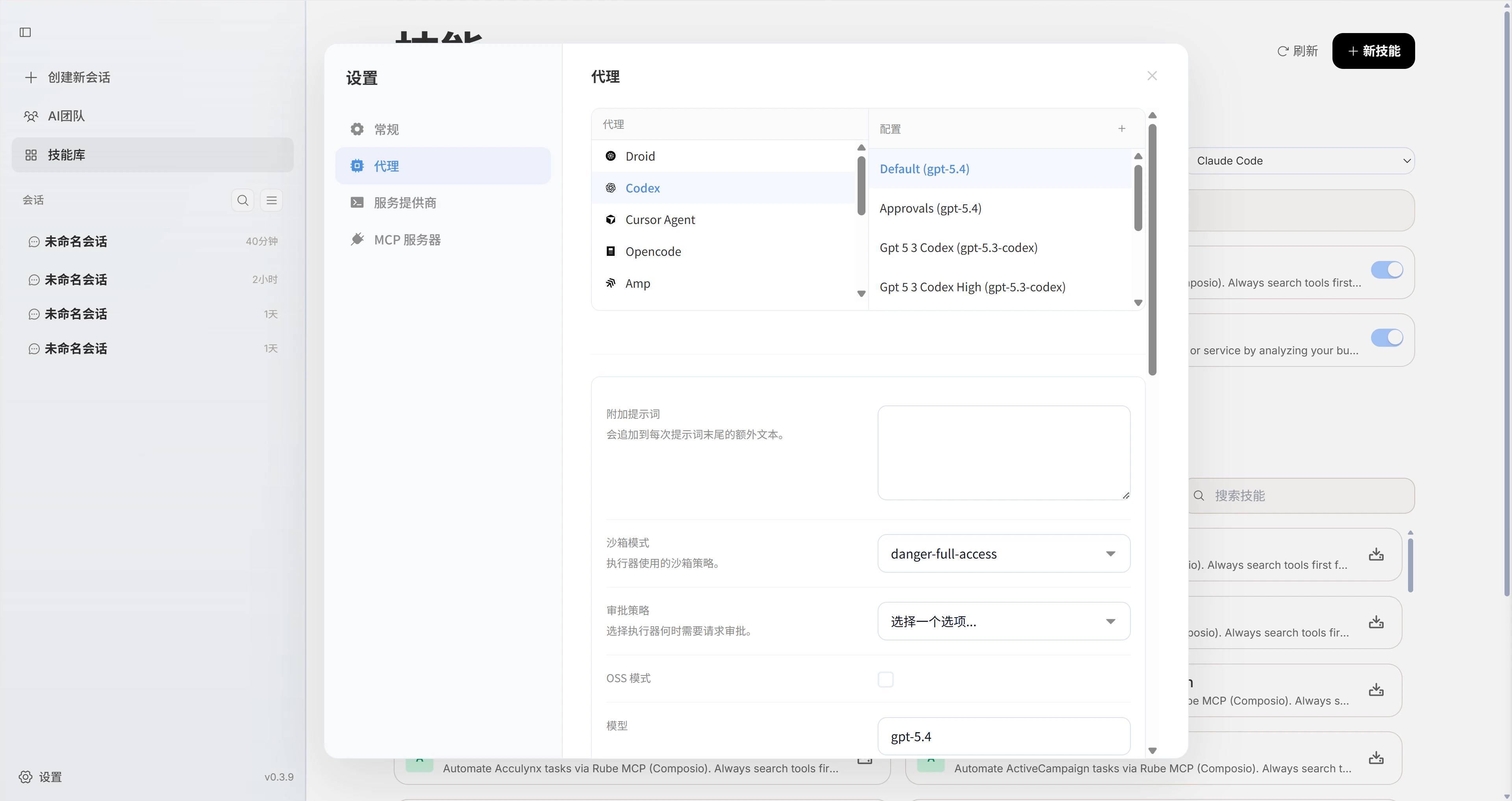
Open Settings -> Agents.
2
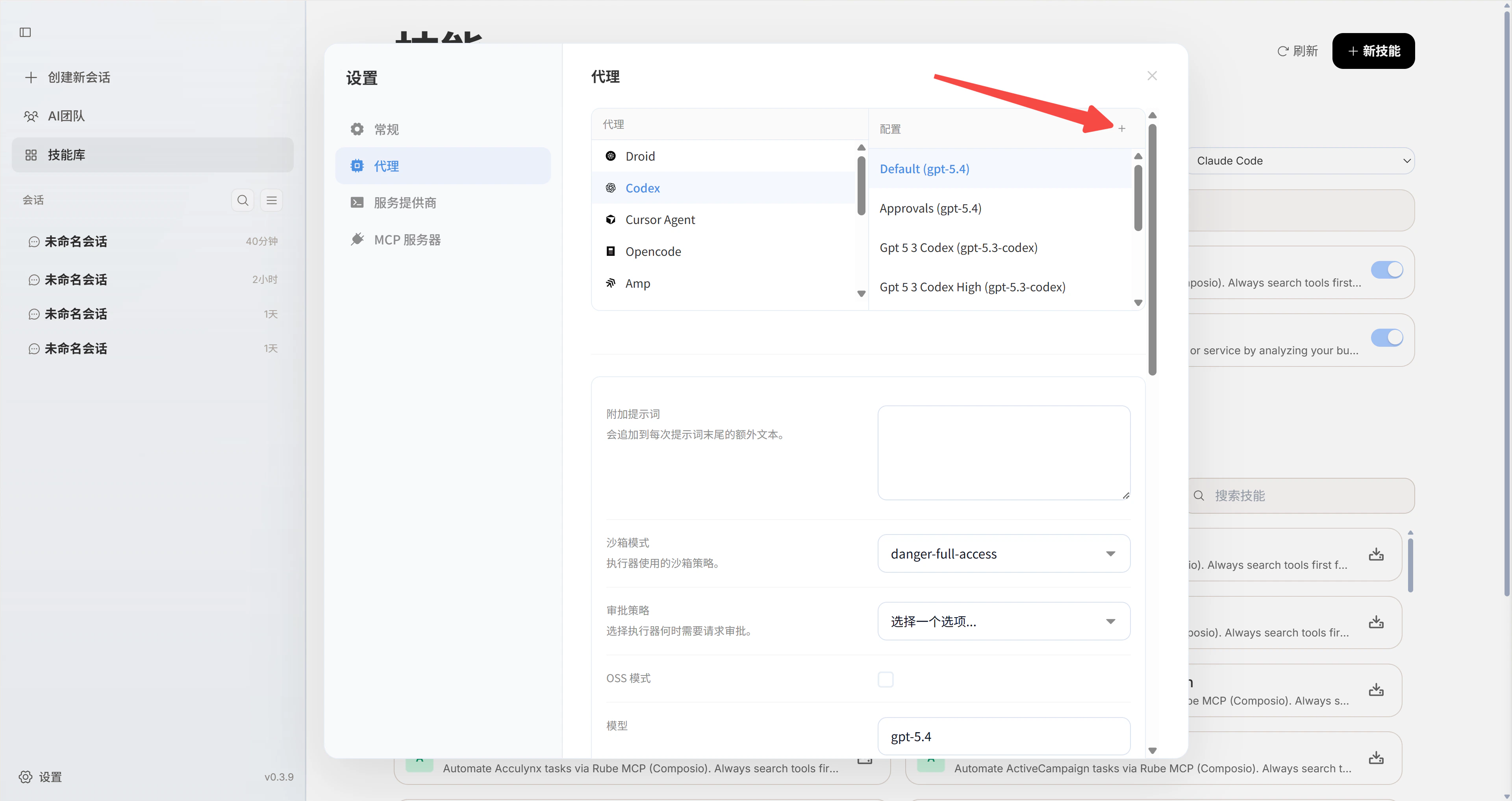
Select the agent you want to configure, then click the + button to add a configuration.
3
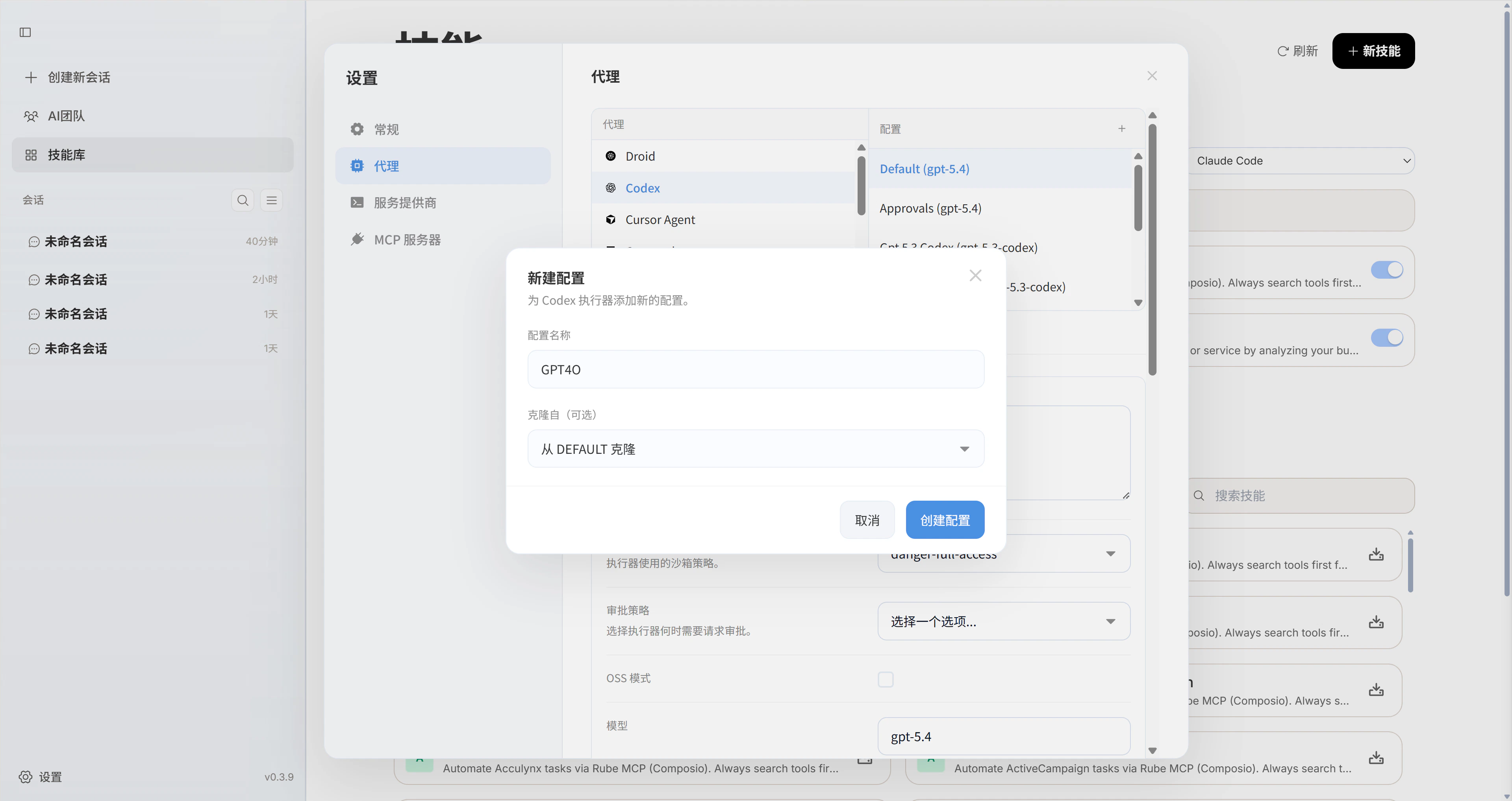
Create a new configuration and enter a configuration name.
4
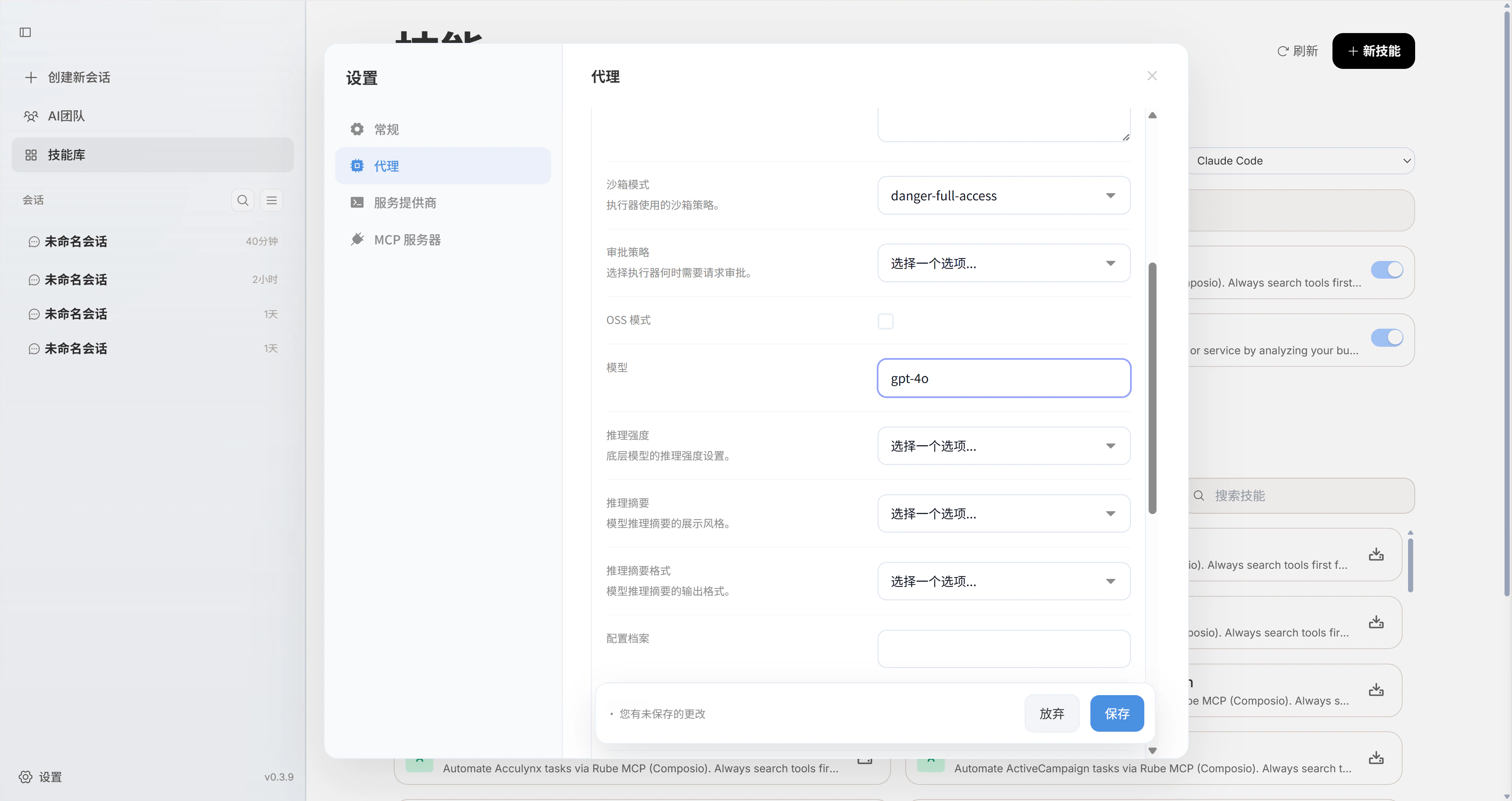
Fill in the configuration details. The most important field is the model name. It must be correct, otherwise the agent will not be able to access the model.